1. Create an asset
Add the equipment, appliance, room, tool, vehicle, or system with location, serial number, vendor, warranty, notes, and photos.
QR Codes
FixLog QR labels connect the thing you are standing next to with its service history, documents, reminders, costs, and notes. See how the whole equipment repair log fits together.
How the QR workflow works
QR labels reduce searching and make it easier to open the right asset record in equipment rooms, shops, kitchens, farms, field work, and facilities.
Add the equipment, appliance, room, tool, vehicle, or system with location, serial number, vendor, warranty, notes, and photos.
Create a scannable QR code for that asset and print a label that fits the environment where it will live.
Put the label on equipment, tools, vehicles, rooms, safety gear, or a protected tag near the asset.
Open the exact FixLog asset record instead of searching by name, room, category, location, or serial number.
Check prior maintenance, notes, documents, costs, vendors, parts, warranties, and follow-up items before starting work.
Add the maintenance entry, update reminders, attach documents or photos, and keep the asset’s record current for next time.
From the asset to its label
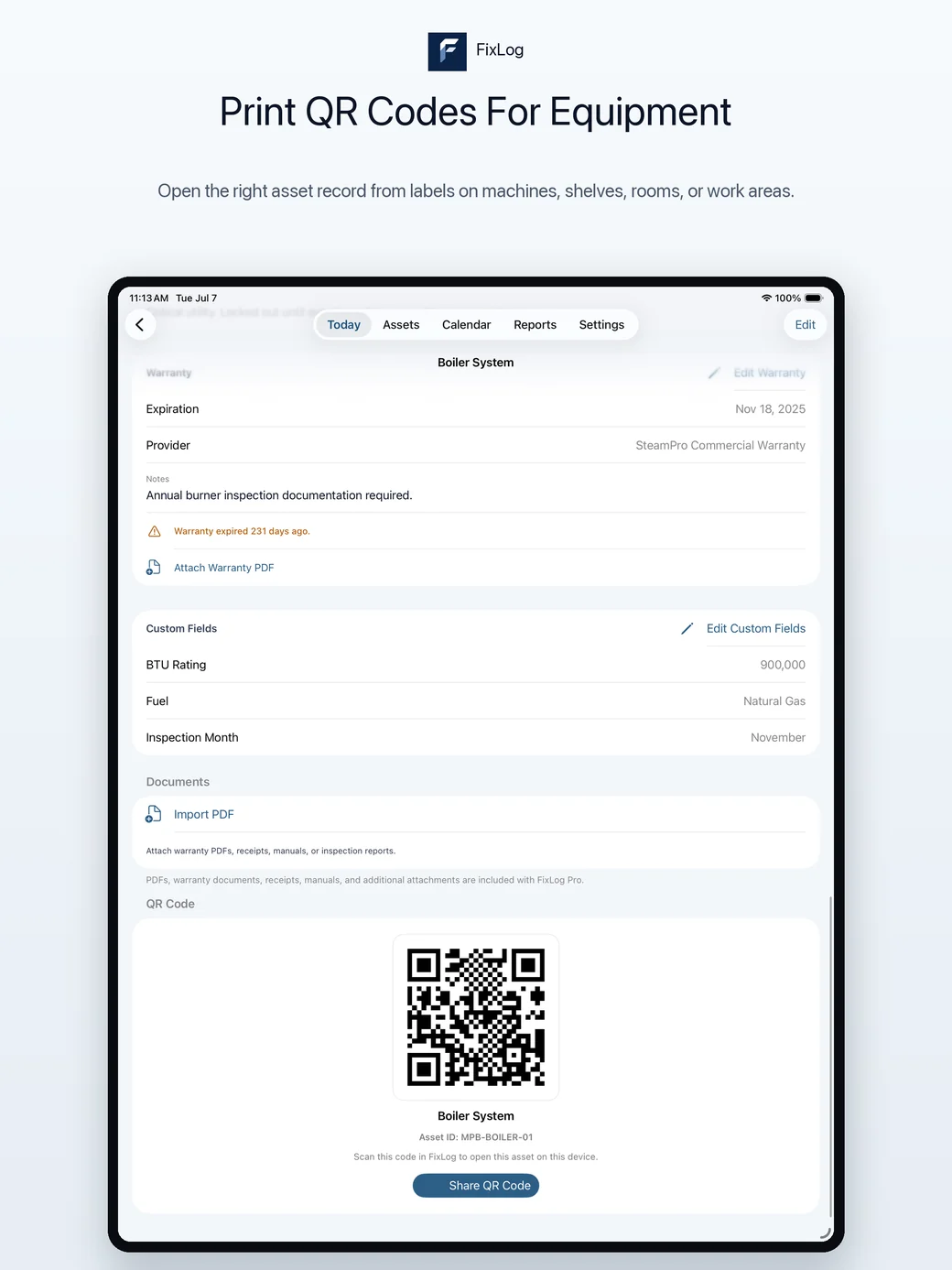
The asset detail screen shows its QR code and a Share QR Code action. Use FixLog's QR label tools to prepare labels, then place the appropriate label on or near each asset.
In FixLog on iPhone or iPad, choose Scan QR from the asset list and allow camera access. A recognized label opens the matching record when that asset is available on the device. Review the previous work before adding a new entry.
No. It identifies a FixLog asset. It does not publish your documents or maintenance history, create a shared web page, or grant someone access to your records.
The matching asset must already be available in FixLog on that device. Printing or sharing the label does not transfer the asset record.
FixLog reports “Asset not found on this device.” Check that the correct record is available on the device you are using. A QR code from another system is rejected as not belonging to FixLog.
The in-app camera scanner works locally. The asset must already be present; a label cannot download a missing record.
QR label generation and printing are included with FixLog Pro. See current pricing and the complete feature list.
Practical uses
Place them on kitchen equipment, HVAC units, rental gear, vehicles, tools, safety equipment, rooms, shop equipment, point-of-sale hardware, facility assets, or anything that gets checked repeatedly.
Why it helps
QR labels are especially useful in work areas, equipment rooms, shops, breweries, small facilities, rental operations, and field work where the person doing the work may not know the exact asset name.
Pro feature
Unlock Pro for unlimited records, QR label generation, reports, exports, documents, photos, and Spaces.