
What broke, and when
Each entry is dated and typed, so you can see whether this is the third time this year or the first time since 2023.
Repair history
Repair history is the part of maintenance recordkeeping that pays you back. FixLog keeps a dated service history under every asset, so when something fails again you can read what happened last time instead of diagnosing it from scratch.
The moment it matters
The first time something breaks, you are troubleshooting. The second time, you are either repeating that work or reading a two-line entry you wrote eight months ago.
Each entry is dated and typed, so you can see whether this is the third time this year or the first time since 2023.
Entries link to the service provider, so the person who already knows this machine is one tap away with their phone number.
Costs sit on the entry. Three repairs on one asset add up into an argument for replacing it.
Model number, serial number, manufacturer, vendor, and asset ID live on the asset record. Part numbers and settings go in the notes.
A photo of the failed part, the wiring, or the label beats a description you write from memory.
Invoices, manuals, warranty PDFs, and inspection forms stay attached to the asset rather than scattered across email.
How the history reads
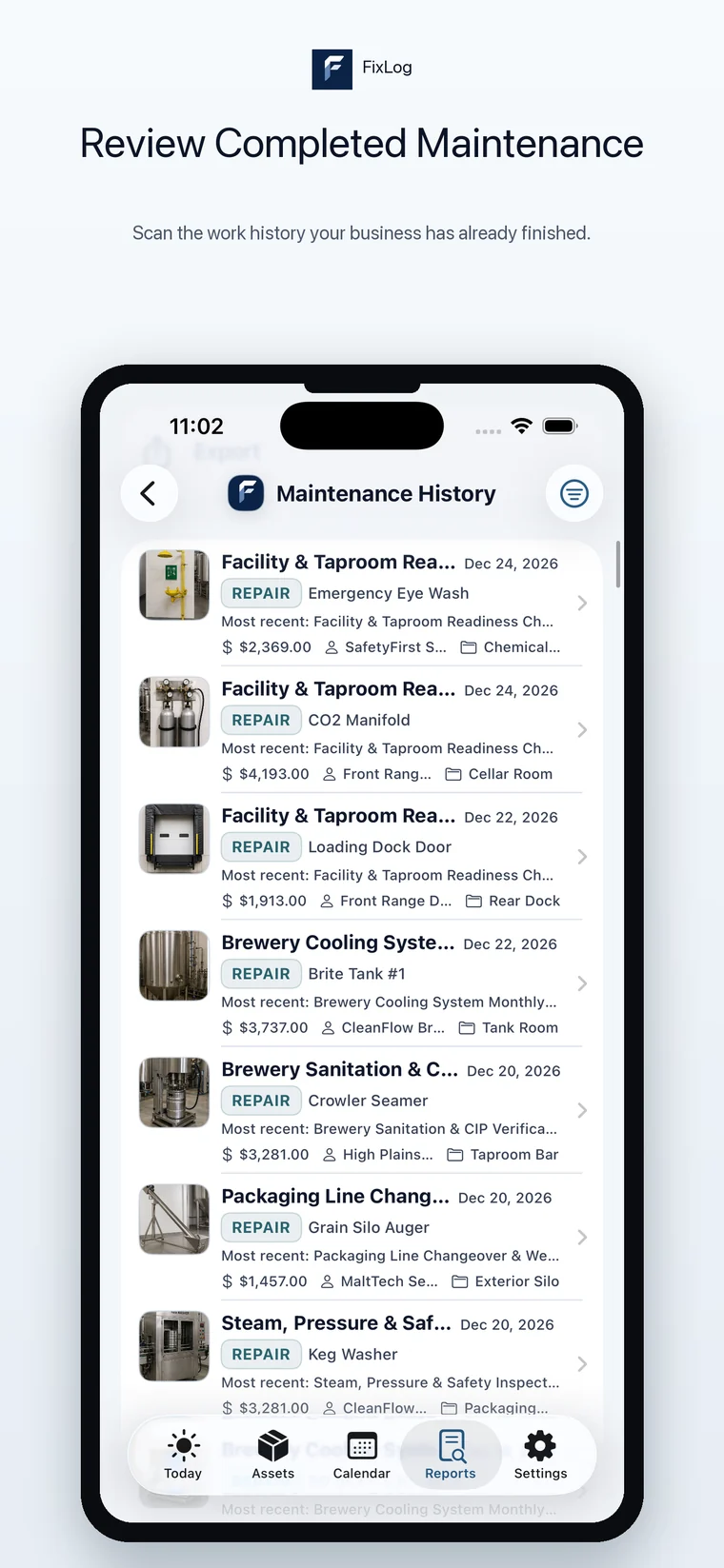
Open an asset and the maintenance history is right there under the photos: recent entries in full, older ones behind a single tap. A separate Maintenance History view spans every asset in the Space when you want to scan what has been done recently across the whole operation.
The complete service record for one item, including reminders still scheduled against it.
Completed work for everything in one location, with cost, provider, and place on each row.
The Handoff Report and CSV export turn the history into something you can send to a landlord, buyer, inspector, or new manager.
Completed work with dates, costs, providers, and locations.
Coverage questions usually come down to dates and evidence. The purchase date, warranty expiration, warranty provider, and attached PDF are on the asset, and the service entries show the work leading up to the claim.
Purchase cost and replacement cost sit next to the running repair spend, which makes the decision arithmetic instead of a guess.
A Handoff Report is a faster answer than a week of questions when a manager or technician leaves.
Equipment with documented service history is easier to sell, transfer, or hand back at the end of a lease.
History only exists if you start it
Download FixLog free, explore the example business data, and start with the assets that break most often.