
What a repair log needs to hold
The date, the item, what was wrong, what was done, who did it, what it cost, and a photo or document that proves it. Those seven things answer almost every question you will ask later.
Repair log app
FixLog is a repair log for iPhone, iPad, and Mac. Add the equipment, tool, vehicle, or system you look after, then log each repair with the date, who did the work, what it cost, photos, and notes. Nothing lives in a separate notebook, email thread, or camera roll.
The problem with most repair records
The invoice is in email. The photo of the corroded fitting is in the camera roll. The model number is on a scrap of paper. Six months later, the same thing fails and none of it is where you need it.
The date, the item, what was wrong, what was done, who did it, what it cost, and a photo or document that proves it. Those seven things answer almost every question you will ask later.
Repairs are only useful when they are grouped by the thing that broke. FixLog stores every entry against a specific asset, so the full history of one compressor, one van, or one walk-in cooler reads top to bottom in one place.
How a repair gets logged
A maintenance entry in FixLog takes a few seconds and captures the details you would otherwise have to remember.
Find it in the asset list, or scan the QR label on the equipment itself.
Title, date, entry type (repair, replacement, cleaning, and more), the service provider, the cost, and notes.
Photos of the failure and the fix, plus the invoice, manual, or inspection form as a document.
The asset shows its full maintenance history, newest first, with older entries one tap away.
Repair, replacement, and cleaning entries with dates, providers, and costs.
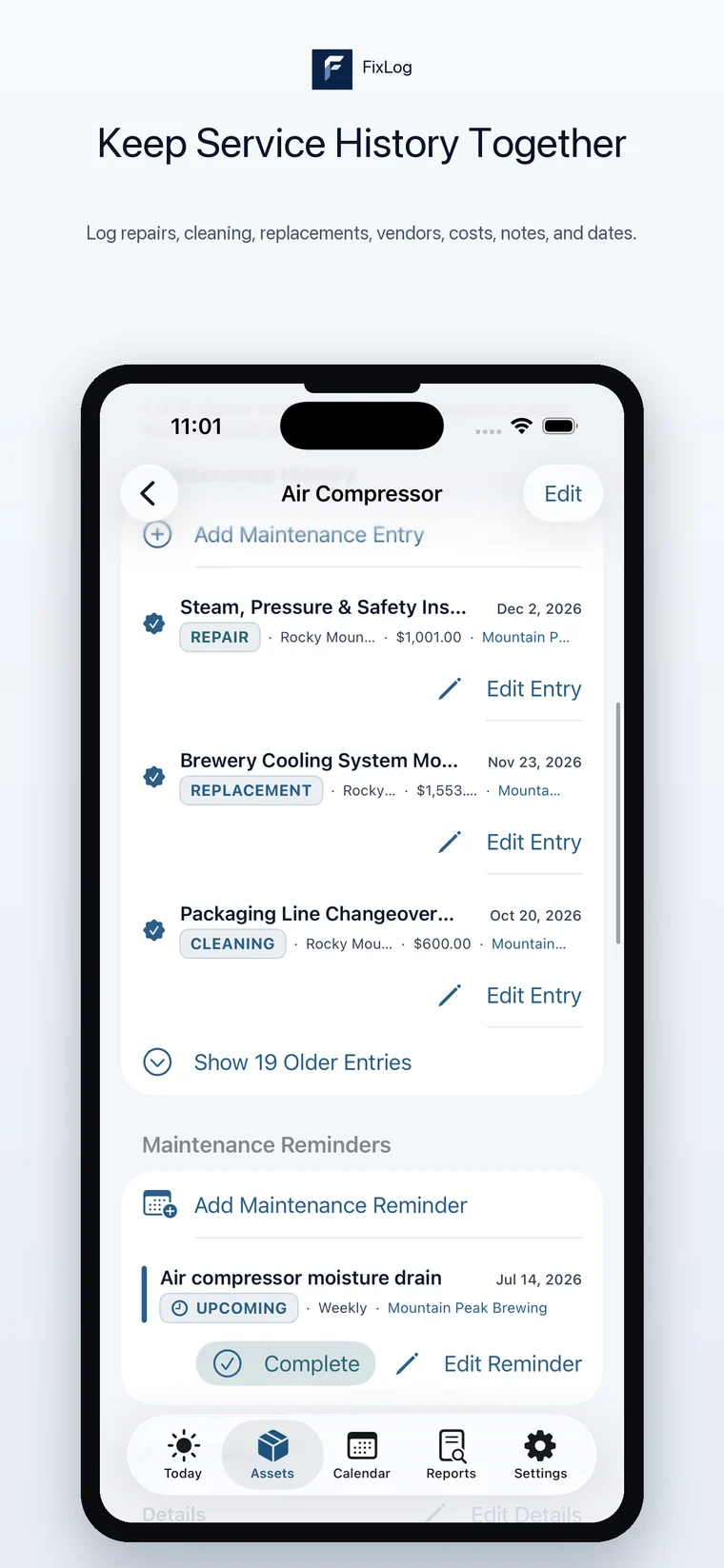
Only the fields that are actually in the app.
Mark work as a repair, replacement, cleaning, or another type so you can tell a $40 filter change from a $1,500 rebuild at a glance.
Every entry takes a cost, which rolls up into spend by asset, place, provider, and type. See repair cost tracking.
Link the entry to a saved provider from the Service Provider Directory, with phone, email, specialties, ratings, and notes.
Up to ten photos per asset, including a cover photo that shows up in asset lists so you recognise the item instantly.
Attach invoices, manuals, warranty PDFs, and inspection reports to the asset instead of leaving them in email.
Free text for the part number, the symptom, the setting you changed, or the thing you would otherwise forget by next season.
FixLog does both, but they are different jobs. Use whichever page matches what you are trying to solve.
Recurring reminders, a maintenance calendar, and a Today list for filter changes, inspections, and seasonal service. Completing a reminder writes the history for you.
Maintenance log app →The reason most people start a repair log: finding out what happened last time, which part was used, and who fixed it.
Repair history →Start the log before the next breakdown
Download FixLog, look through the example business data, and add your first asset in a couple of minutes.