
A basic list
A spreadsheet can work well when you mainly need dates and totals. Consider an asset app when you also want documents, service history, and reminders kept together.
Simple CMMS alternative
Keep each asset's repairs, reminders, documents, and costs together on iPhone, iPad, and Mac. FixLog suits an owner who needs equipment records without technician dispatch or separate user permissions.
Choose by the work you do
Business size alone does not decide which software fits. Start with who needs access and how work gets assigned.
A spreadsheet can work well when you mainly need dates and totals. Consider an asset app when you also want documents, service history, and reminders kept together.
FixLog connects an asset to completed work, costs, supporting documents, and upcoming maintenance on your supported Apple devices.
Choose a team CMMS when you need to assign work orders, manage individual access, or review who performed each action. Some CMMS products offer free plans; compare workflow and limits as well as price.
One asset, from setup to next service
Worth knowing before you download, so you do not find out later.
FixLog does not require an account to use, which also means there are no logins, roles, or per-user audit trails. Records live on your device and sync across your own supported devices.
You log work that was done and schedule work that is due. Dispatching jobs to a team of technicians is a different kind of product.
iPhone, iPad, and Mac. There is no web app and no Android app.
Nothing to administer, nothing to log into, and no vendor holding your maintenance records. Exports and backups are yours to move.
Start with the example data, then add the equipment you want to keep track of.
Interactive example business data plus a 263-asset template library, so the first screen is not an empty table.
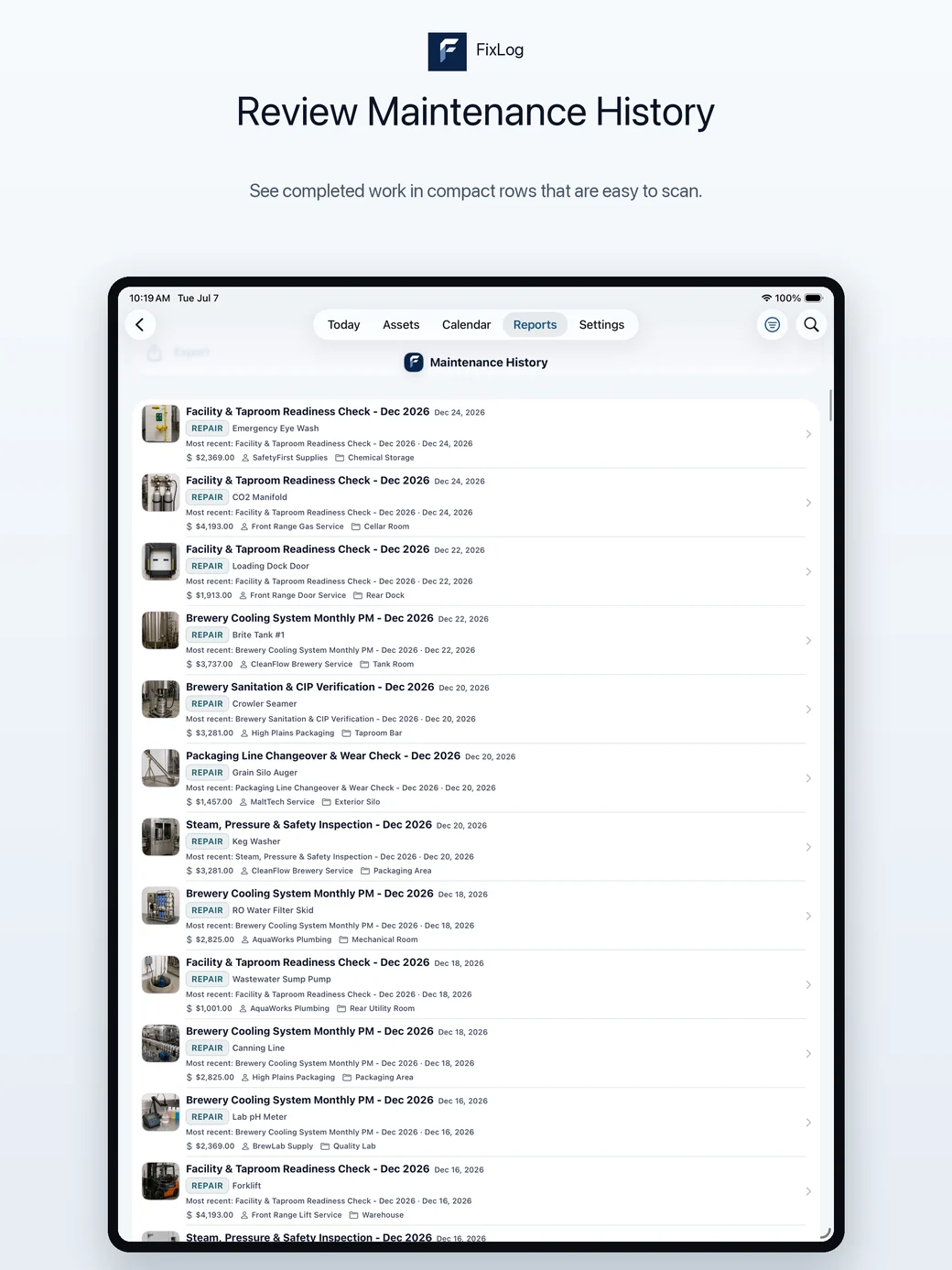
Service history, costs, photos, documents, and warranty dates per asset. See repair history.
Operations Maintenance Report, Warranty Countdown, Handoff Report, CSV export, and printable QR labels.
Try it before committing anything
Free to download with populated example business data. Pro is $0.99 a month or a $7.99 lifetime unlock, bought through the App Store.