
Print a QR label per asset
Stick it on the compressor, the hood, the panel, the trailer. Scanning opens that asset's record: history, reminders, documents, and the button to add a new entry.
Equipment repair log
Compressors, tanks, hoods, dock doors, pumps, vans, benches, safety equipment. FixLog gives each one an asset record with its IDs, warranty, documents, service history, and a printable QR label so the record opens while you are standing in front of the machine.
Why equipment records go stale
Maintenance notes get written down when someone gets back to a desk, which usually means they get written down later, or not at all. Scanning a label on the machine removes that gap.
Stick it on the compressor, the hood, the panel, the trailer. Scanning opens that asset's record: history, reminders, documents, and the button to add a new entry.
In an equipment room with four similar units, "which one is Brite Tank #1" is a real question. The label answers it, which matters most for whoever is covering a shift.
The asset record
Every asset holds name, asset ID, status, place, location, manufacturer, model number, serial number, vendor, purchase date, purchase cost, replacement cost, notes, warranty details with an attached PDF, and custom fields for whatever your equipment needs — capacity, voltage, filter size, tag number.
Asset ID, manufacturer, model and serial numbers, vendor, costs, warranty, and custom fields.
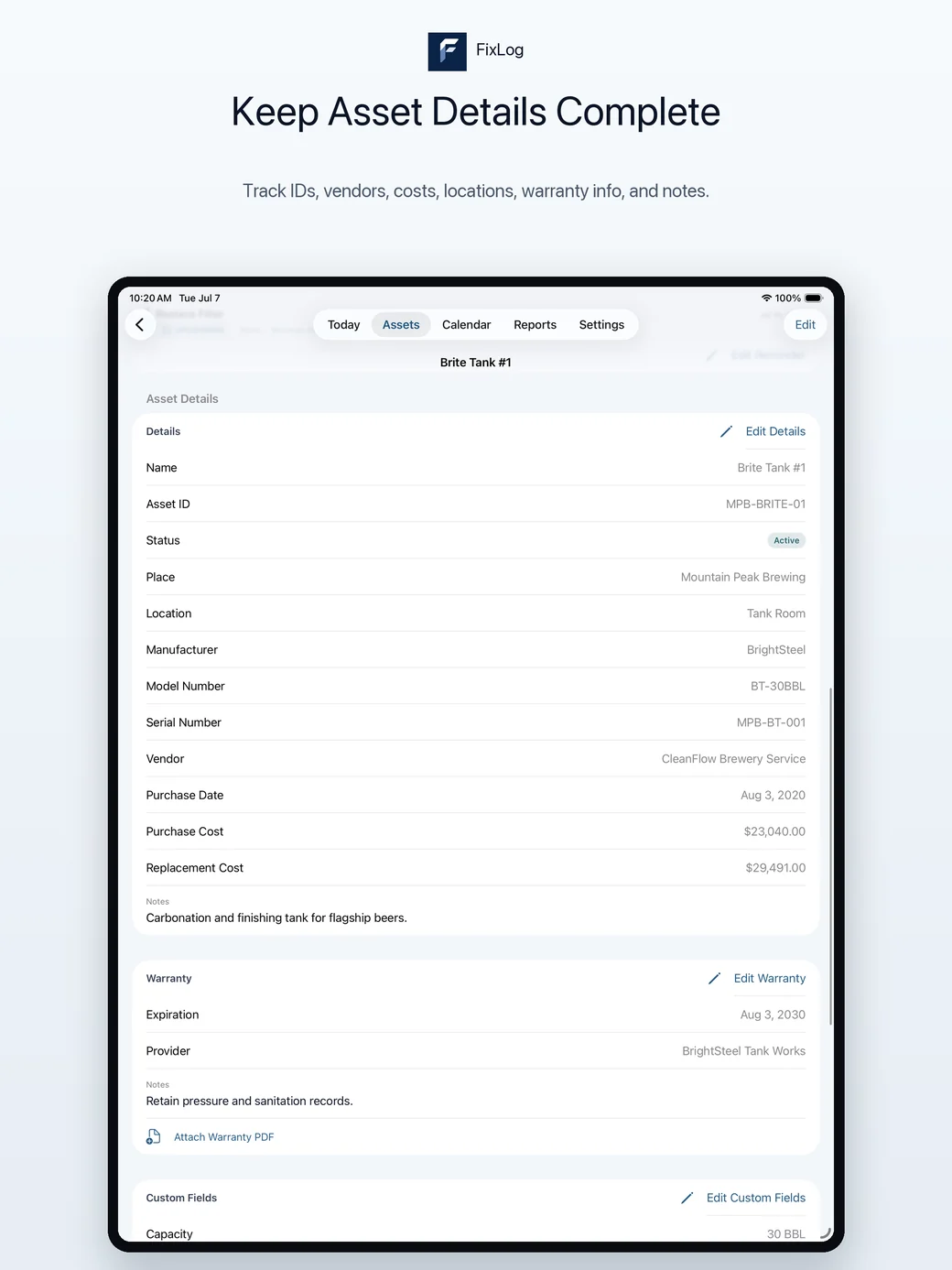
A completed record
This fictional workshop example shows the information worth keeping. The amounts and dates are illustrative, not a repair recommendation or customer result.
Return to the service history when the same issue appears, review costs over time, and use recurring reminders for the next scheduled task. See which fields to include in your log.
Spaces keep each site's equipment records separate. Locations and groups organise assets inside a Space, so a tank room, a cellar, and a rear dock do not turn into one long list.
A 263-asset template library covers common equipment and facility categories with suggested reminders and fields.
Operations Maintenance Report, Warranty Countdown, Handoff Report, CSV export, and printable QR labels.
Purchase cost and replacement cost across the asset list show what it would take to replace what you own. See cost tracking.
Label the equipment, keep the record
Download FixLog free and try the workflow on the example brewery data before you add your own equipment.